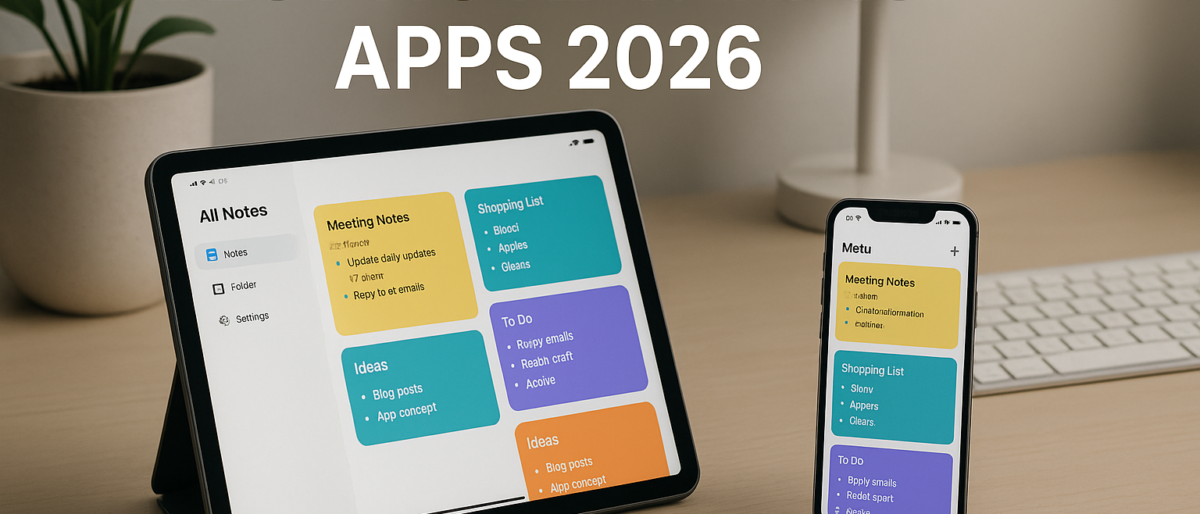
Still scribbling notes on random pieces of paper that disappear into the void? It’s 2026. There’s a better way. The best note taking apps have evolved into powerful tools that sync across devices, organize your thoughts automatically, and even use AI to surface the right information when you need it.
Whether you’re a student drowning in lecture notes, a professional juggling projects, or just someone who wants to remember where they parked the car — there’s a note taking app built for you. We tested dozens of options and narrowed it down to the six that actually deserve your time.
What Makes a Great Note Taking App in 2026?
Before we dive into the list, let’s talk criteria. The best note taking apps share a few key traits:
- Cross-platform sync — your notes should follow you everywhere
- Search that works — if you can’t find a note, it doesn’t exist
- Organization that fits your brain — folders, tags, links, or all three
- Offline access — because WiFi isn’t guaranteed
- Free tier worth using — you shouldn’t have to pay to take basic notes
Every app on this list checks most (if not all) of these boxes. Let’s get into it.
1. Notion — The All-in-One Workspace
Notion has become the Swiss Army knife of productivity tools, and for good reason. It’s not just a note taking app — it’s a full workspace where you can build databases, wikis, project boards, and yes, beautifully formatted notes.
Key Features
- Block-based editor with text, images, code, equations, and embeds
- Relational databases that connect your notes to projects, tasks, and goals
- AI-powered writing and search (Notion AI)
- Real-time collaboration with team members
- Thousands of community templates for every use case
Pricing
Notion’s free plan is genuinely useful — unlimited pages and blocks for individual use. The Plus plan starts at $10/month for unlimited file uploads and longer team collaboration features.
Best For
Power users who want their notes connected to their projects, tasks, and team workflows. If you’re already thinking about improving your productivity, Notion is the hub that ties it all together.
The Downside
Notion can feel overwhelming at first. The blank page problem is real — you might spend more time setting up your workspace than actually taking notes. And offline mode still isn’t perfect.
2. Obsidian — The Knowledge Graph
Obsidian takes a fundamentally different approach. Instead of folders and categories, it builds a web of interconnected notes — a personal knowledge graph. It’s built for people who think in links, not lists.
Key Features
- Local-first storage — your notes live on your device, not a server
- Bidirectional linking between notes
- Graph view that visualizes how your ideas connect
- Hundreds of community plugins (Kanban boards, daily notes, spaced repetition)
- Full Markdown support
Pricing
Obsidian is completely free for personal use on desktop and mobile. The optional Sync service (for cloud sync across devices) starts at $4/month, and Publish (for sharing notes as a website) starts at $8/month.
Best For
Researchers, writers, and deep thinkers who want to build a personal knowledge base. If you’ve ever fallen down a Wikipedia rabbit hole and loved it, Obsidian is your jam. Pair it with our guide to organizing digital files for a killer system.
The Downside
Obsidian has a learning curve. The plugin ecosystem is powerful but can be confusing for newcomers. And the mobile experience, while functional, isn’t as polished as competitors.
3. Google Keep — Simple and Fast
Google Keep is the “just let me write something down” app. No setup, no learning curve, no complicated features. Open it, type, done. Your note is saved and synced to your Google account instantly.
Key Features
- Color-coded notes with labels for organization
- Voice notes that automatically transcribe to text
- Location-based reminders (e.g., “remind me to buy milk when I’m at the grocery store”)
- Image notes with automatic text extraction (OCR)
- Deep integration with Google Workspace
Pricing
Completely free. No premium tier, no upsells. It’s Google — you pay with data, not dollars.
Best For
Quick capture. Google Keep shines when you need to jot down a phone number, a shopping list, or a random idea before it vanishes. It’s not meant to be your knowledge base — it’s your pocket notebook.
The Downside
Google Keep is intentionally limited. No rich text formatting, no nested organization, no markdown. If your notes need structure, look elsewhere.
4. Apple Notes — The Default That’s Actually Good
Here’s the thing about Apple Notes: most iPhone users already have it and don’t realize how capable it’s become. Apple has quietly turned it into a genuinely powerful note taking tool, especially in the Apple ecosystem.
Key Features
- Rich text formatting with folders and nested subfolders
- Document scanning with built-in OCR
- Collaboration with real-time sharing
- Quick Notes on iPad and Mac for instant capture
- Lock individual notes with Face ID or Touch ID
- Math note solving — write equations and Apple Notes solves them
Pricing
Free on all Apple devices. No in-app purchases, no premium tier.
Best For
Anyone deep in the Apple ecosystem. If you use iPhone, iPad, and Mac, Apple Notes is seamlessly integrated and requires zero setup. For tips on making the most of your Apple devices for work, see our work from home productivity guide.
The Downside
There’s no Android or Windows app. If you ever leave the Apple ecosystem, your notes don’t follow easily.
5. Joplin — The Privacy Champion
Joplin is the open-source note taking app for people who care deeply about privacy and control. Your notes are stored locally, encrypted end-to-end, and you choose where they sync — not some corporation.
Key Features
- Full end-to-end encryption
- Sync via Dropbox, OneDrive, Nextcloud, or your own server
- Markdown editor with rich text preview
- Notebooks and tags for organization
- Plugin system for extensions
- Available on every platform (Windows, Mac, Linux, iOS, Android)
Pricing
Joplin is completely free and open source. Joplin Cloud (for hassle-free sync) starts at €2.49/month, but you can self-host for free.
Best For
Privacy-conscious users, developers, and open-source enthusiasts who want full control over their data. If the idea of your notes living on someone else’s server makes you uncomfortable, Joplin is your answer.
The Downside
Joplin’s interface feels dated compared to the competition. It’s functional but not pretty. The initial setup for sync can also be technical.
6. Microsoft OneNote — The Corporate Standard
OneNote has been around forever, and Microsoft keeps improving it. It’s part of the Microsoft 365 suite, which means if your workplace or school uses Office, you probably already have it.
Key Features
- Freeform canvas — place text, images, and drawings anywhere on the page
- Notebooks, sections, and pages for deep hierarchical organization
- Built-in AI features powered by Copilot
- Audio and video recording with searchable transcription
- Deep integration with Outlook, Teams, and the rest of Microsoft 365
Pricing
OneNote is free for personal use. Microsoft 365 personal plans start at $6.99/month and unlock the full Office suite plus additional OneDrive storage.
Best For
Microsoft ecosystem users, students with free Microsoft 365 access, and teams already using Office tools. OneNote also pairs well with project management software for keeping project notes organized.
The Downside
OneNote’s freeform canvas is either a feature or a mess, depending on your personality. It can feel chaotic compared to structured apps. The interface also feels cluttered at times.
Comparison Table: Best Note Taking Apps at a Glance
| App | Free Tier | Platforms | Best Feature | Ideal For |
|---|---|---|---|---|
| Notion | Yes (generous) | All | All-in-one workspace | Power users & teams |
| Obsidian | Yes (full) | All | Knowledge graph | Researchers & writers |
| Google Keep | Yes (unlimited) | All | Speed & simplicity | Quick capture |
| Apple Notes | Yes (full) | Apple only | Ecosystem integration | Apple users |
| Joplin | Yes (full) | All | E2E encryption | Privacy-focused users |
| OneNote | Yes (full) | All | Freeform canvas | Microsoft users |
How to Choose the Right Note Taking App
Still not sure which one is for you? Here’s a quick decision framework:
- Need it all in one place? → Notion. It’s your workspace, database, and note app rolled into one.
- Think in connections? → Obsidian. Build your personal knowledge graph.
- Just want to write stuff down fast? → Google Keep. Zero friction, zero learning curve.
- All Apple, all the time? → Apple Notes. It’s already on your devices and surprisingly powerful.
- Don’t trust cloud companies? → Joplin. Open source, encrypted, self-hosted.
- Live in Microsoft 365? → OneNote. It plays nicely with everything else you’re already using.
The best note taking app is the one you’ll actually use consistently. Start with the free tier of whatever sounds right, and upgrade only if you hit a wall. Check out our best free cloud storage guide to make sure your notes are backed up safely wherever you store them.
Final Thoughts
The note taking landscape in 2026 is genuinely excellent. You don’t have to compromise — whether you want simplicity, power, privacy, or ecosystem integration, there’s an app that nails it. The key is matching the tool to your workflow, not the other way around.
Stop losing your ideas. Pick one of these apps, start capturing, and build the habit. Your future self will thank you.